
I hope you enjoy reading this blog post. If you want my team to just do your email and SMS marketing for you, click here.
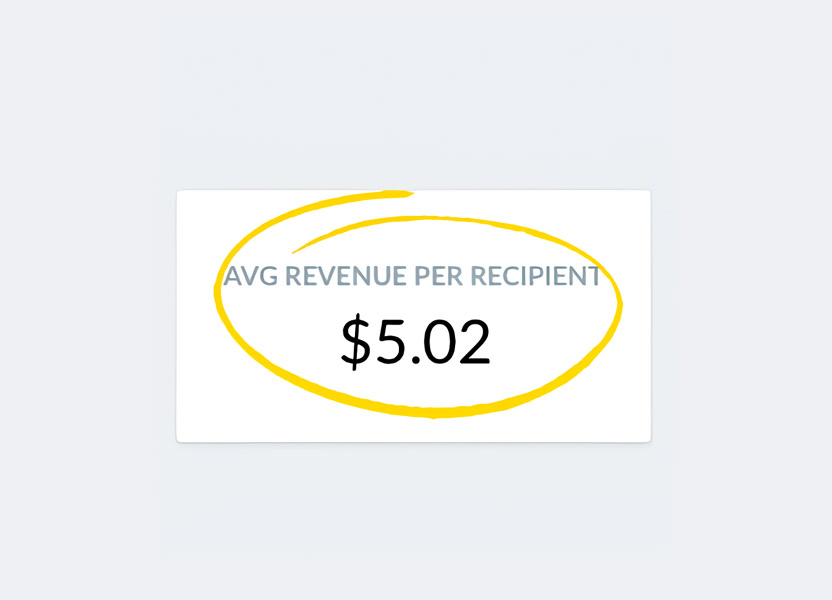
1) Revenue and RPR from Klaviyo
- Is “revenue from Klaviyo” between 10-30% of the total dtc revenue of the company/brand? Depending on the size of the company/brand and the number of channels operating, the percentage will vary.
In most cases, this is the first sign to check if additional optimization can be done. Anything less than 10% means there’s significant room for improvement.
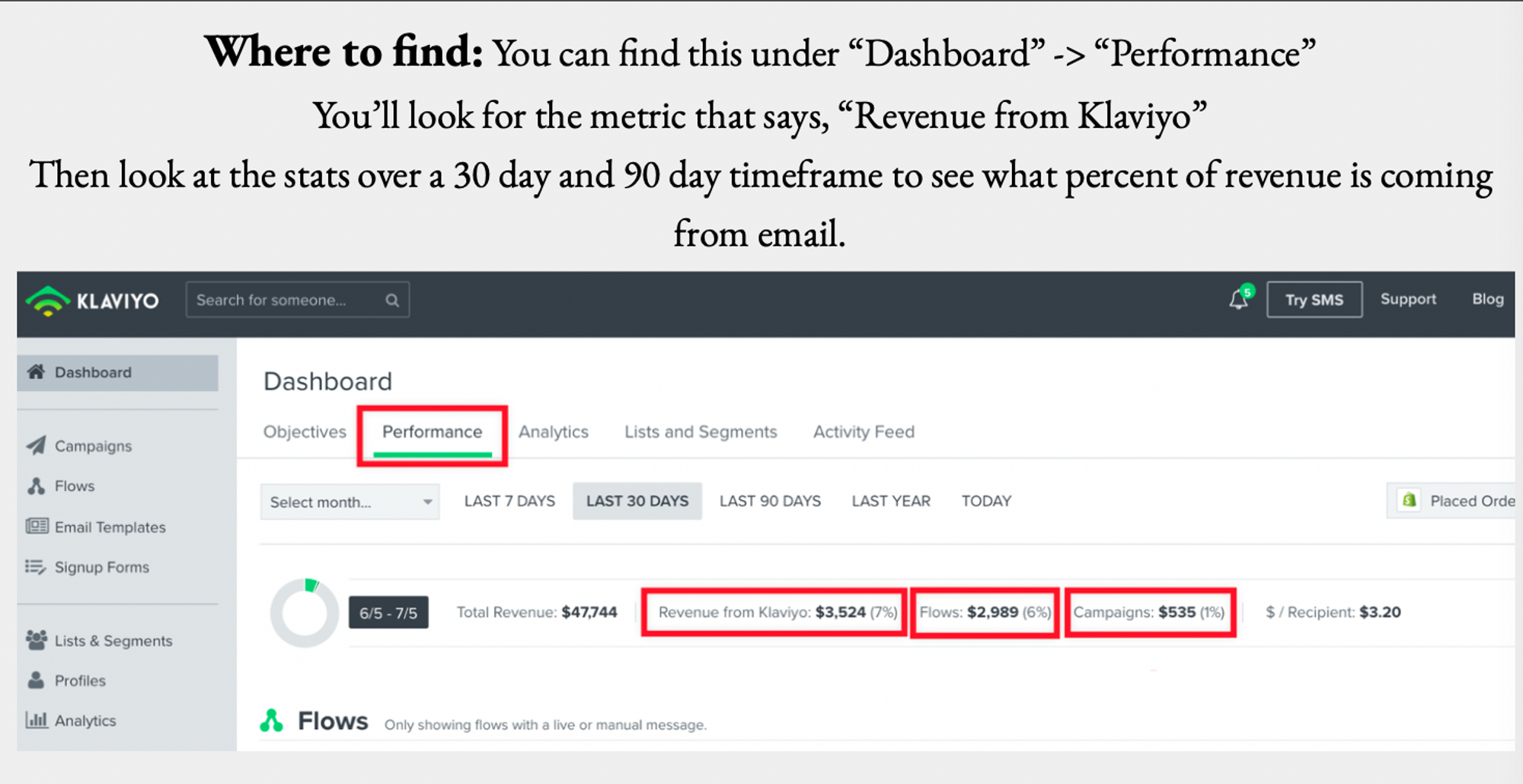
- is RPR more than
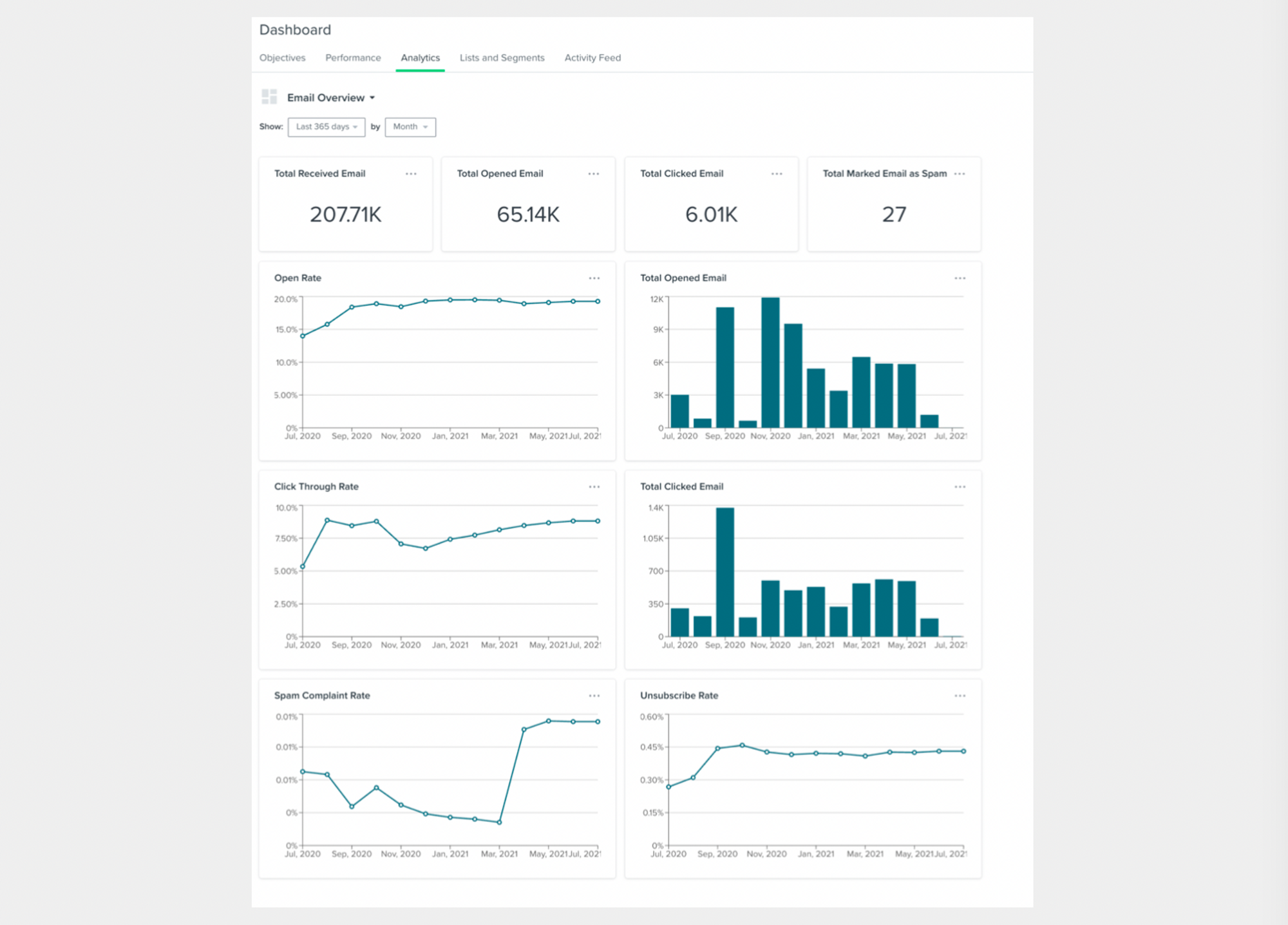
2) Next, look at the average open rate on the account and see if it lines up with industry standards.
Is there room for improvement?
Industry standards vary, but here is two links that has them for different niches and categories.
- Ecommerce email benchmarks by industry
- 2022 Email Marketing Statistics & Benchmarks - Mailchimp
You should be seeing at least 20% depending of your niche.
Where to find:
For an overview of the entire account, navigate to “Dashboard” -> “Analytics” And select “Email Overview” in the drop down menu. See below.
You can also go and check the recent campaigns performance:
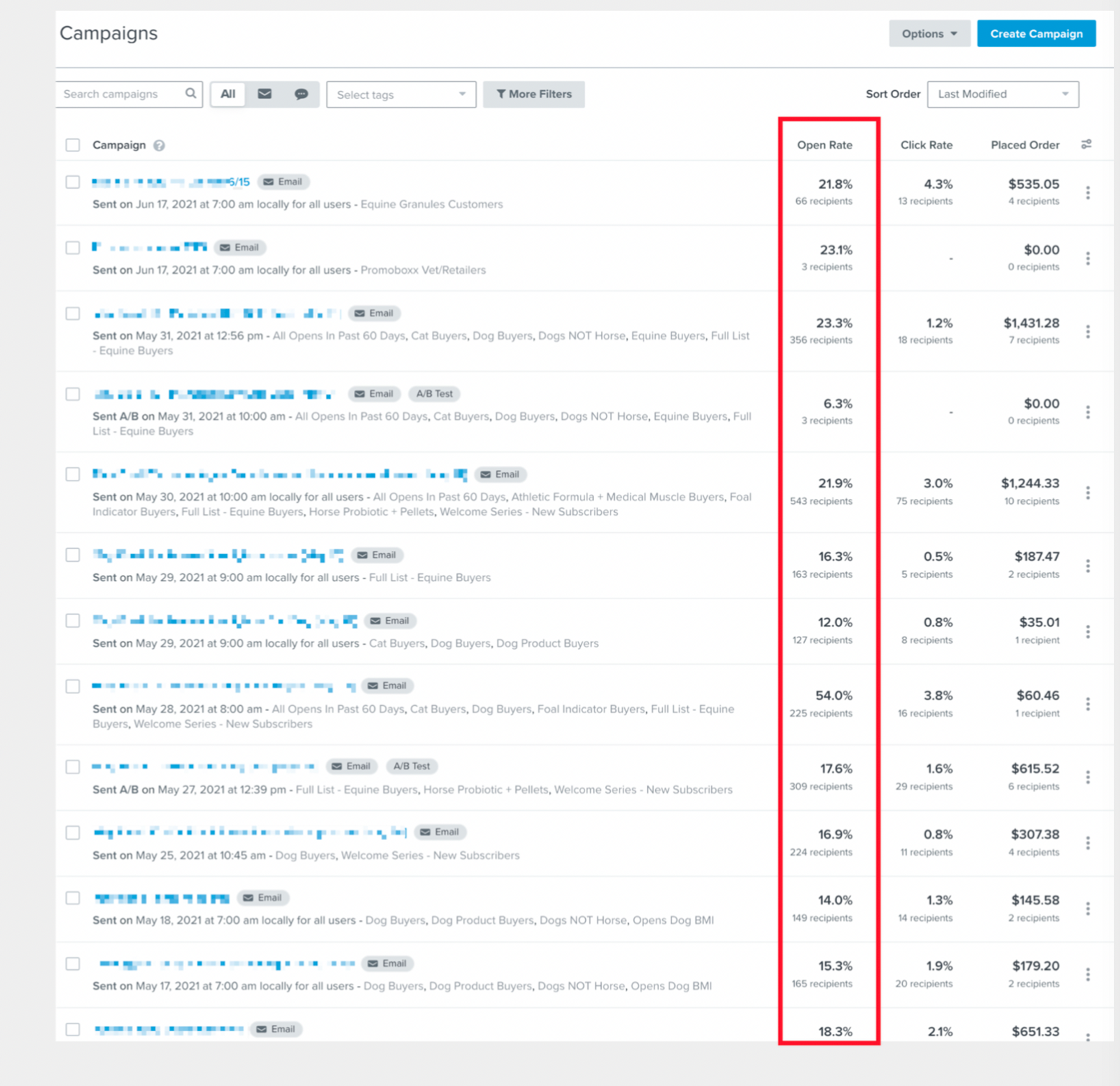
Check to see if there’s room for improvement.
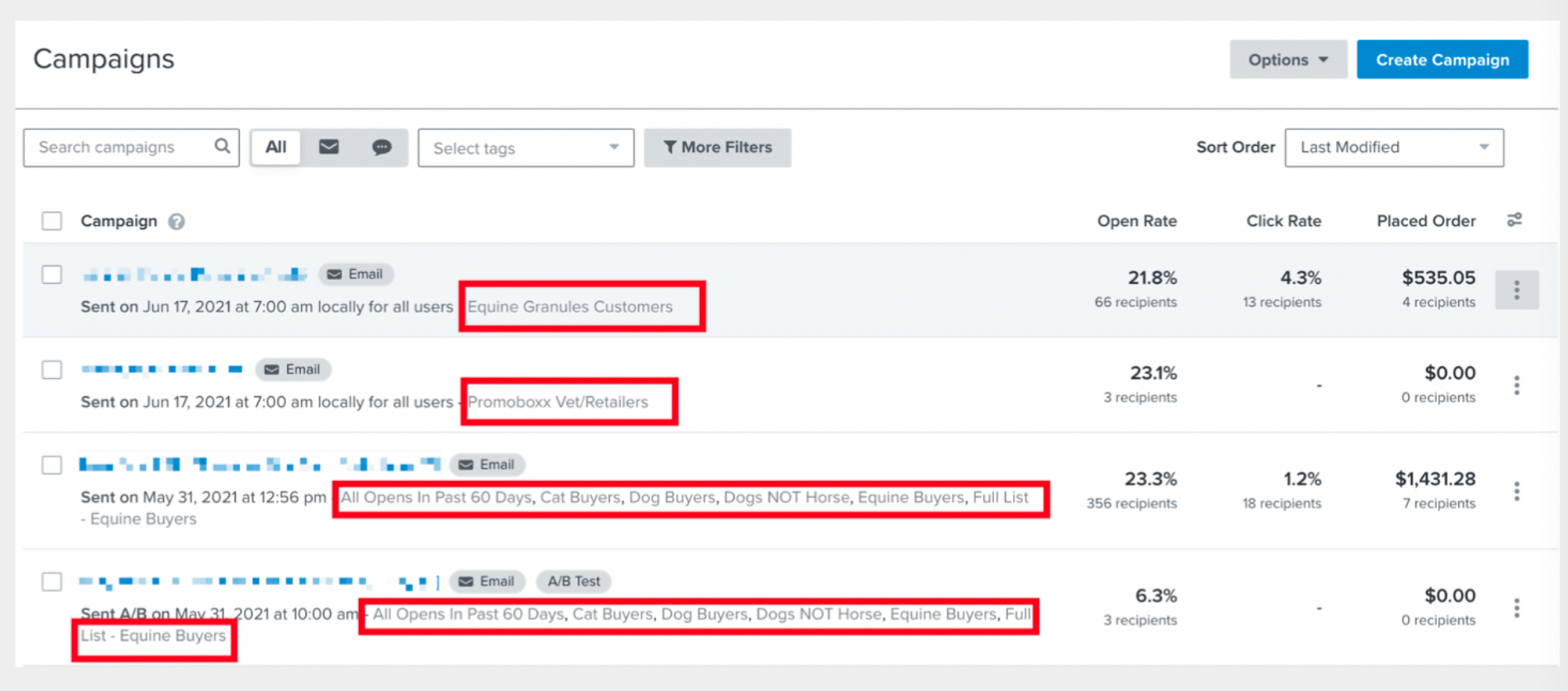
3) Next, see if they are segmenting their campaigns.
Where to find:
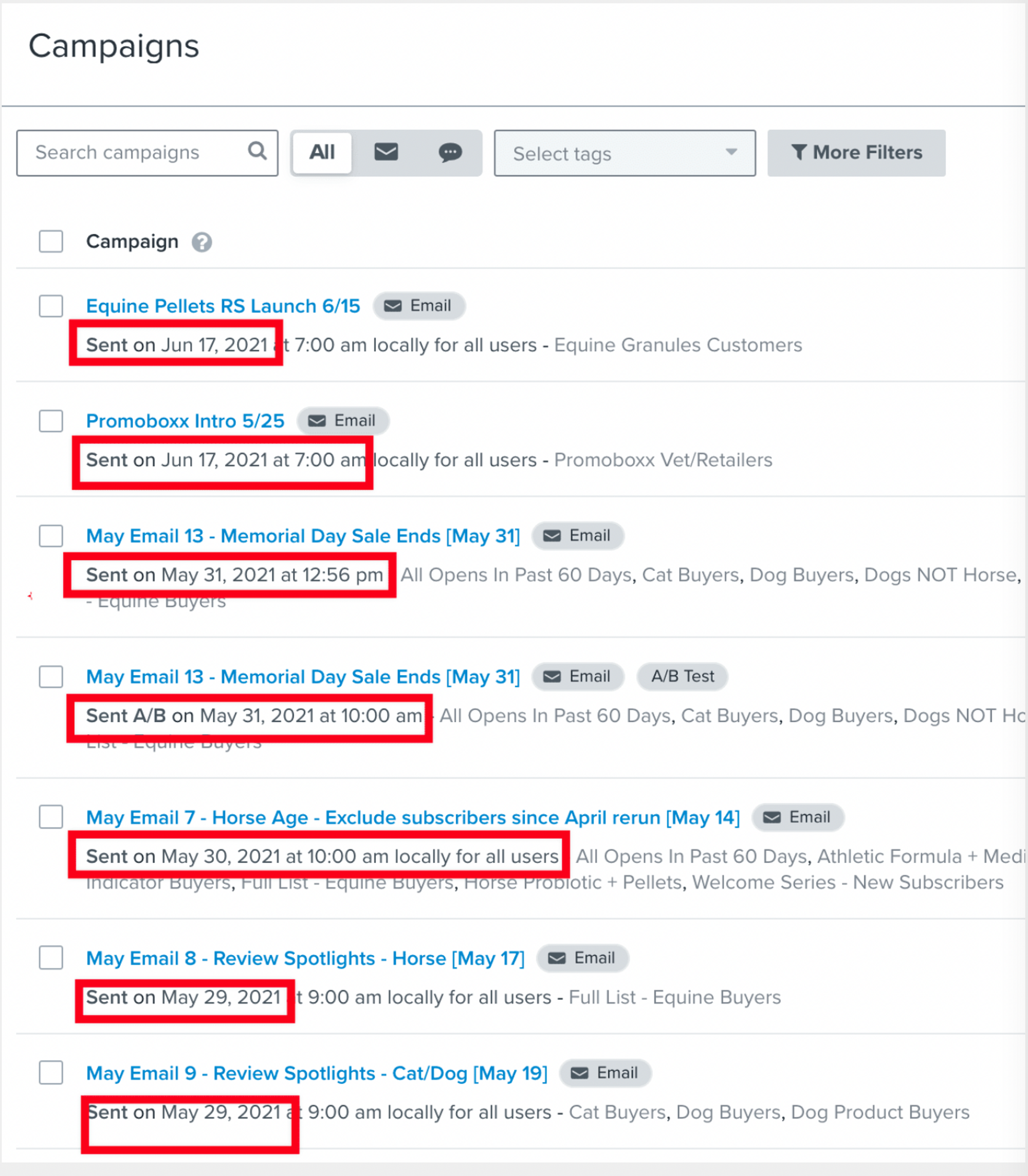
You can do this by performing a spot check on the “Campaigns.” Simply navigate to this section in the right-hand sidebar and look at what lists the account is sending to in their most recent sends. Are they sending to only one list or are they actually segmenting who is receiving what messages?
4) Next ask, “Could we send MORE?”
Where to find:
****Look at the cadence of the most recent campaigns. Are they sending daily? Weekly? Once per month? And could you potentially increase that sending volume by either sending more segmented campaigns or rolling out a series of weekly promotions and emails?
5) Now, it’s time to look at the flows.
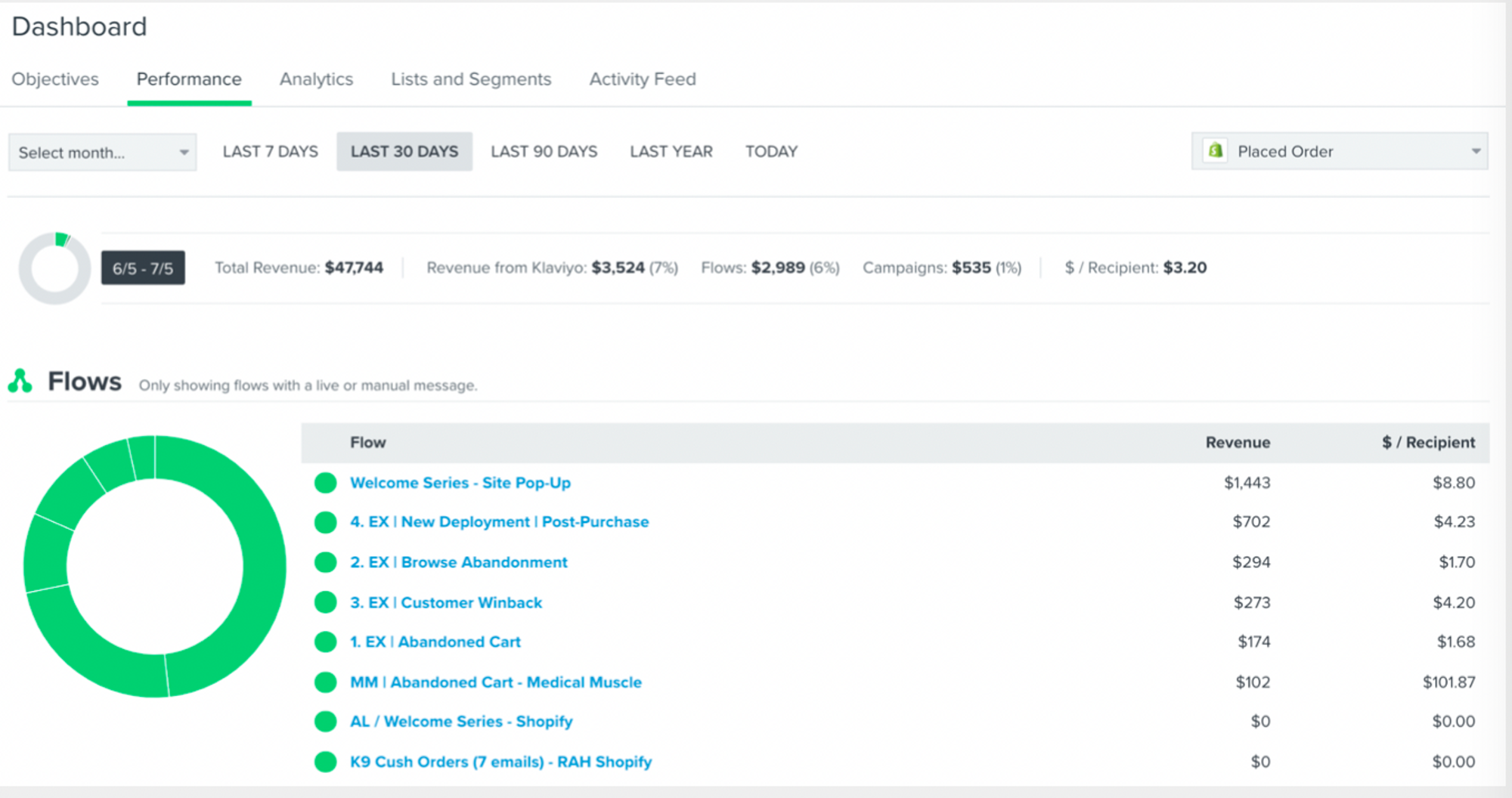
Check to make sure the 3 core flows are turned on:
- Welcome Series and Exit Intent Series
- Browse abandonment
- Cart abandonment
Where to find:
Under “Dashboard” navigate to the performance tab and see what flows have been turned on/activated. You’ll know because of the green dot next to each series. You want to make sure that the flows are actually generating money. Sometimes, they can be incorrectly set up or broken. You also want to check that the contacts are properly flowing through each of the flows.
I recommend opening each one in a separate tab and spot checking how they have performed (and how many contacts have received the messages) over a fixed time frame (for example 30 days).
6) Could the flows be lenghtened?
Do they have the recommended number of emails in each series or are there just one or two emails in the flow?
Welcome series - 10 recommended
Browse abandon - 6-8 recommended emails
Abandon cart - 8-10 recommended emails
- Are the open rates above 30%?
- Are the click through rates above or below 3%?
Remember, we can improve the performance of individual emails by split-testing subject lines and body copy for potential large wins.
- Is smart sending OFF or ON in the flows? And should it be switched?
Some flows, for example, cart abandon can be improved if you turn smart sending off so that contacts actually get the messages that have been built.
- Are the extra flows turned on?
- Post-purchase flow
- Repeat purchase flows (leveraging predicted next order campaigns)
- Is the account attempting to win back lapsed customers and non-engaged contacts?
- are the open rates in those additional flows above or below 30%??
- Are the click through rates above or below 3%?
7) Lastly, look at the sign-up forms
- Are there forms live on the site? Could they be performing better?
Don’t forget you can split-test forms and try different type of offers as a way to boost the opt in rate on the site.
Where to find:
Under the left hand sidebar under sign up forms, you can see what forms are currently live and what segments/groups of people they’re being shown to.
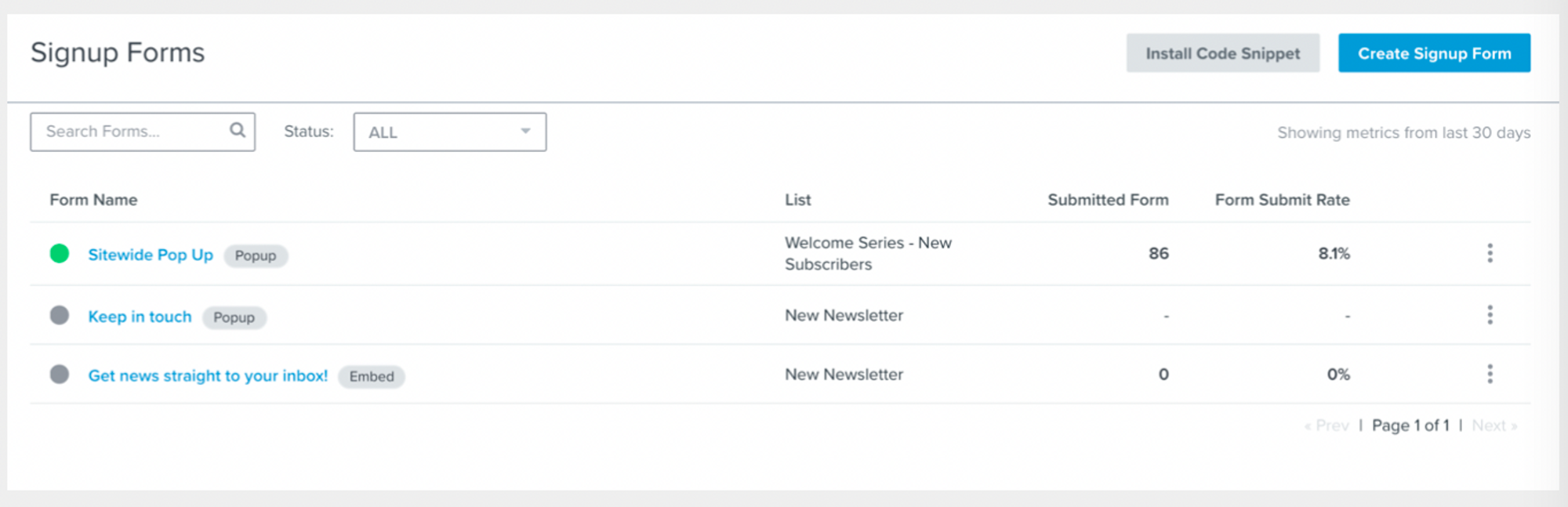
- Are there forms being shown to specific segments and audience groups?
Remember you can set up exit pops, landing page specific sign up forms and forms for specific groups of customers (like VIPs and those with an upcoming predicted order date)
Get your FREE account audit NOW ➜
You can get the first lesson of my course totally FREE
You’ll learn powerful strategies and tools to take your email and SMS campaigns to the next level. Ready to start your journey today?
🧠 Years of expertise packed into a course
Click here - Get 75% OFF for a limited time and gain proven strategies to elevate your email & SMS marketing