
Email postmaster tools Google, Verizon (Yahoo), Microsoft and Apple iCloud Mail
With Postmaster Tools you can track data on large volumes of emails sent and find data about your sending domain. You can view different dashboards to understand different details

3 min read

Google
What Is Google Postmaster Tools and Why Should You Use It?
The Google-provided application enables email senders to keep track of their delivery rates to Gmail and troubleshoot any potential problems. Utilizing Google Postmaster Tools is crucial since it can ensure that your emails reach their intended recipients and are not flagged as spam. You can increase the likelihood that your emails will reach your recipients' inboxes by keeping an eye on your delivery rates and resolving any problems the tool identifies. This is crucial for companies or organizations that use email as their main method of contact with clients or customers.
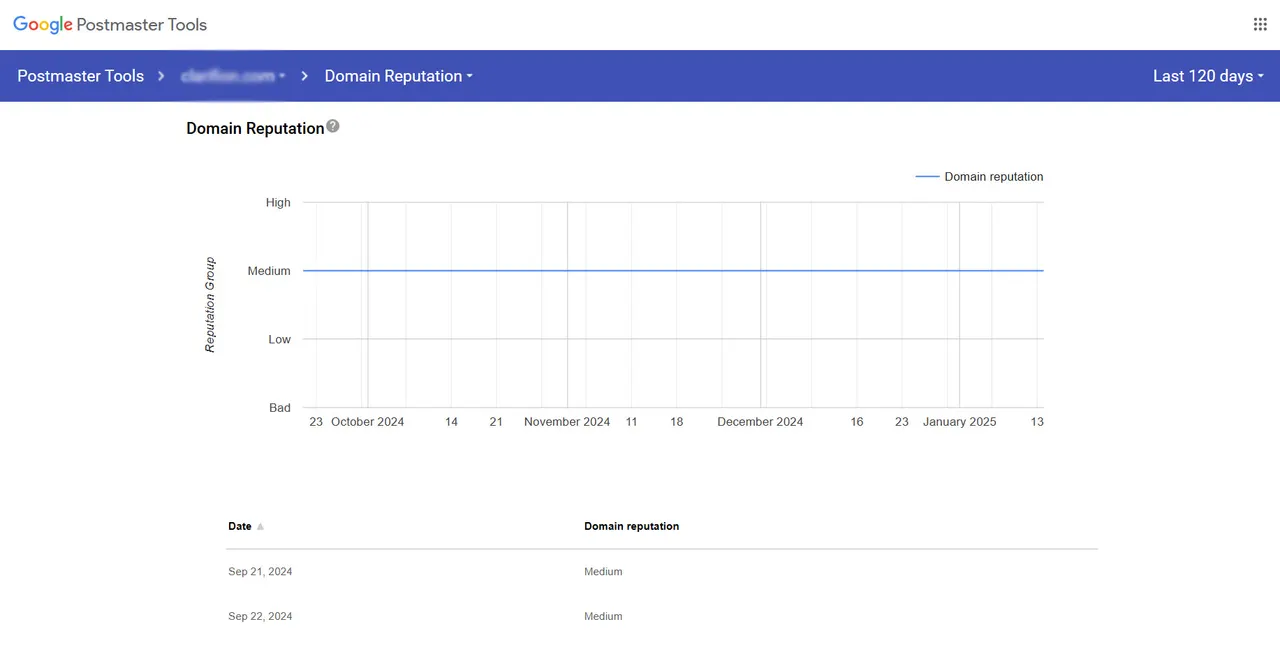
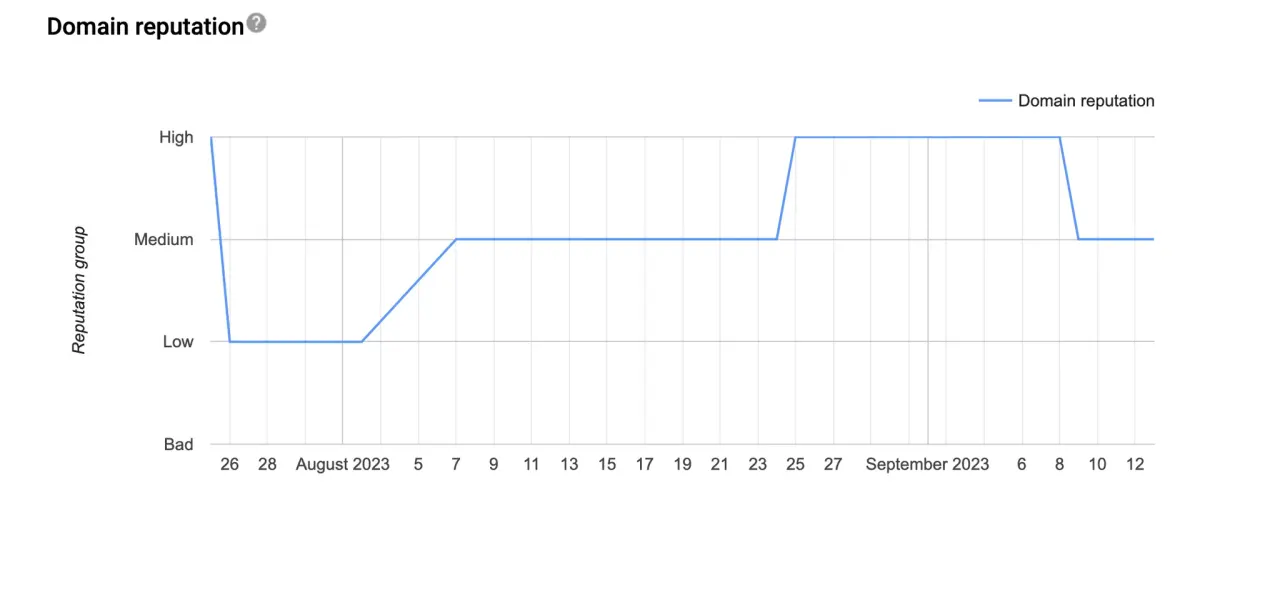
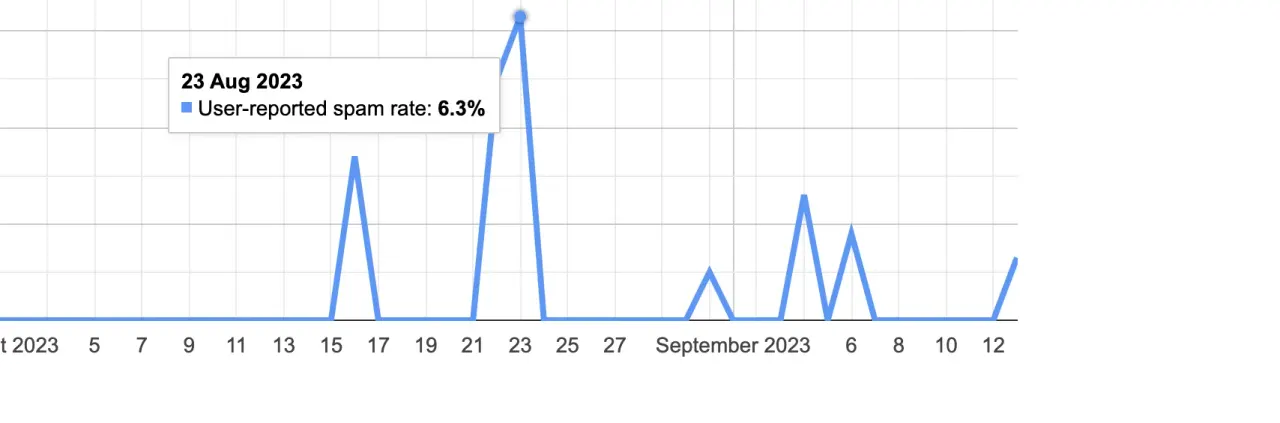
You’ll need to update the DNS records to set it up.
Verizon (Yahoo, AOL, ...)
Currently in limited beta. Yahoo continues to launch more great features for senders, following their major update of Yahoo Mail earlier in 2024.
Yahoo's Sender Hub is a platform designed to assist email senders in optimizing their email deliverability and enhancing user engagement. Key features include:
- Complaint Feedback Loop (CFL): Allows senders to manage their enrollment in Yahoo's CFL, helping them monitor and address user complaints effectively.
- AMP for Email: Enables the inclusion of dynamic, personalized, and interactive content directly within emails, enhancing user experience.
- Promotions & Schema: Utilizes Email Structured Data and Schema to make emails more discoverable and actionable, helping them stand out in the inbox.
- BIMI (Brand Indicators for Message Identification): Allows senders to control their brand logo's appearance in Yahoo's email applications, leveraging their investment in DMARC for brand recognition.
- Deliverability Resources: Provides sender requirements, recommendations, FAQs, and explanations of error codes to assist in resolving SMTP issues and improving email deliverability.
- Developer Access: Offers APIs and documentation for developers to integrate and enhance Yahoo's Mail services within their applications.
To get started, sign up for the Sender Hub Dashboard to manage your CFL enrollment and explore the rest of the available services.
Microsoft (Hotmail, Outlook, MSN)
Microsoft's Smart Network Data Services (SNDS) is a tool that provides email senders with insights into how their emails are perceived by Outlook.com users, focusing on deliverability and sender reputation. Key features include:
- Data Access: SNDS offers detailed information about email traffic from your IP addresses, including metrics on spam complaints and overall email health.
- Junk Email Reporting Program (JMRP): This program allows senders to receive reports when users mark their emails as junk or phishing, enabling proactive list management and content improvement
- IP Monitoring: By analyzing data on your IPs, SNDS helps identify potential issues such as compromised servers or unauthorized use, allowing for timely corrective actions (SNDS FAQ).
Getting Started with SNDS:
- Sign In: Log in to SNDS using your Microsoft Account.
- Request Access: Submit a request for the IP addresses or ranges you manage. The system will guide you through an authorization process to verify your control over these IPs
- Utilize Data: Once authorized, access detailed reports to monitor your sending reputation and address any issues that may affect email deliverability.
By leveraging SNDS, you can enhance your email practices, maintain a positive sender reputation, and ensure better deliverability to Outlook.com users.
Apple (iCloud Mail)
Unfortunately, Apple does not offer any tool to monitor and analyze issues with its email service provider. It only offers a list of recommendations and the possibility to send an email to icloudadmin@apple.com to consult specific problems. They tend to respond after 5 business days.
Written by Fernando Portela
Retention marketer focused on Email and SMS for DTC and CPG brands. Seven years building, fixing and scaling Klaviyo programs, with a soft spot for deliverability.
Keep reading
All articles- Fernando PortelaDeliverability
How to resolve a sudden Gmail 550 5.7.1 (unread)
Learn how to fix Gmail’s 550 5.7.1 error and stop your emails from being rejected. Discover what triggers it, what content to avoid, and how to restore your sender reputation with Google’s reconsideration form.
- Fernando PortelaGmail
The End of IP & Domain Reputation in Gmail Postmaster Tools (unread)
Gmail quietly changed how deliverability will be measured. The removal of IP and domain reputation metrics from Gmail Postmaster Tools marks the end of an era for performance tracking.
- Fernando PortelaTips
Gmail Deliverability Issues in September–October 2025? Try this (unread)
If your emails keep landing in Gmail’s spam folder, Google’s new Sender Contact Form might help. It lets you request a review of your domain’s filtering status and possibly recover your inbox placement faster.